
Understanding MIDI: The Backbone of Modern Beatmaking
I started using MIDI from the very beginning. Back in the mid 90s, you needed MIDI in order to sync two or more devices together. I had the Ensoniq ASR10 for sampling, creating loops and song sequences. I used the Emu SP1200 to sample drum sounds and create patterned sequences. In order to get these two devices to play along side each other, I needed a single MIDI cable. One device (ASR10) would be considered the master, and the second device (SP1200) would be the “slave.” Sorry to all my woke folks, but that was terminology used back then. The master device would send MIDI Machine Control data from the MIDI OUT port to the slave device’s MIDI IN port. Therefore, when I pushed play on the ASR10, it would also play the SP1200 at the same time, using the tempo of the former.
When I decided to add a third piece to my arsenal, I found another way to use MIDI. I added the KORG TR Rack—which was the rackmount version of the KORG Trinity workstation. By using MIDI channels, I was able to play the sounds on the TR Rack using my ASR10 keyboard. Once again, I had to come out of the keyboard (MIDI OUT) with a standard MIDI cable, into the sound module (MIDI IN). I always understood how MIDI worked, how to apply it, and how to connect it, but back then we didn’t have blogs that explained it in a simple way. Hopefully, this article will help you understand what MIDI is, and how it can work in your beatmaking setup.
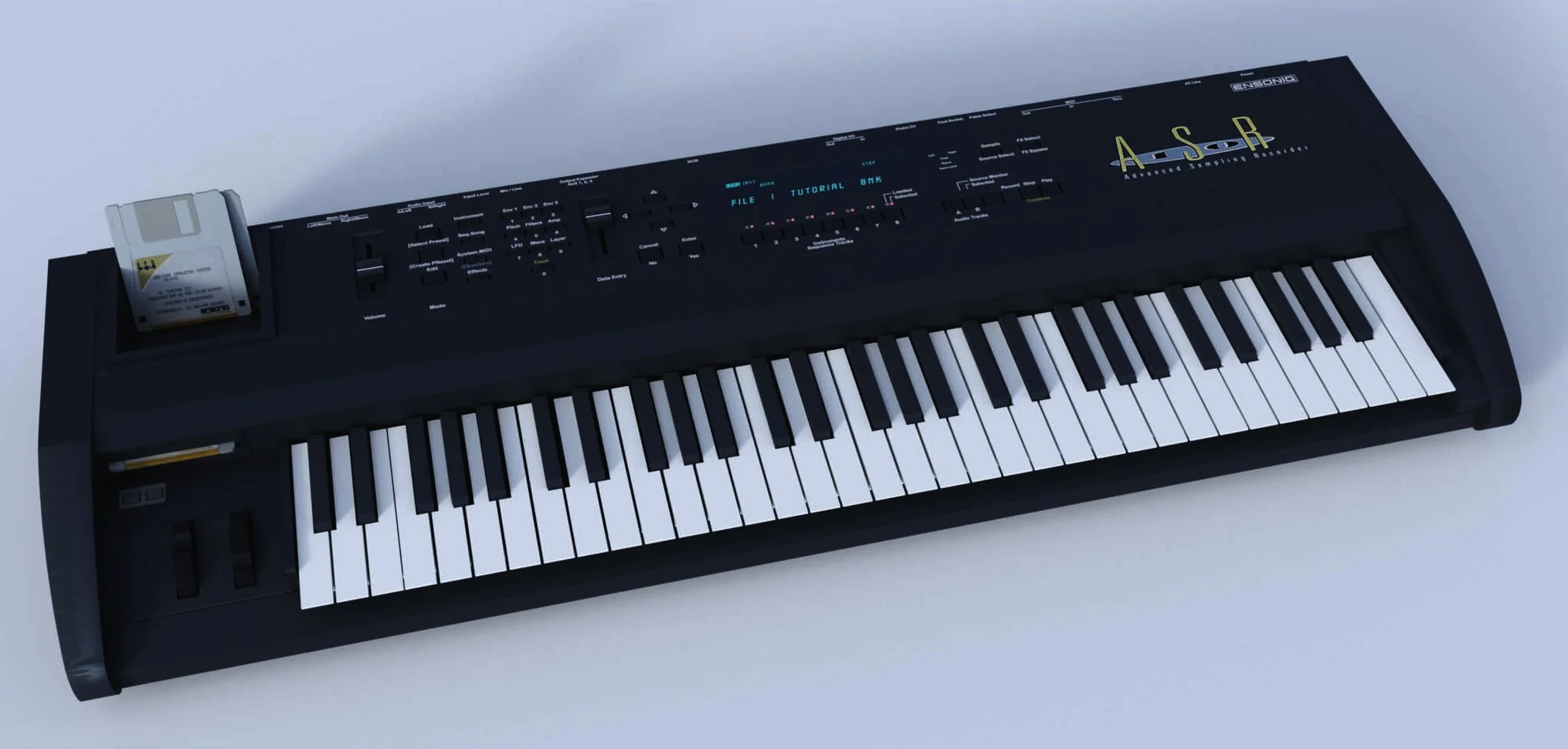
Ensoniq ASR-10 (61-key)
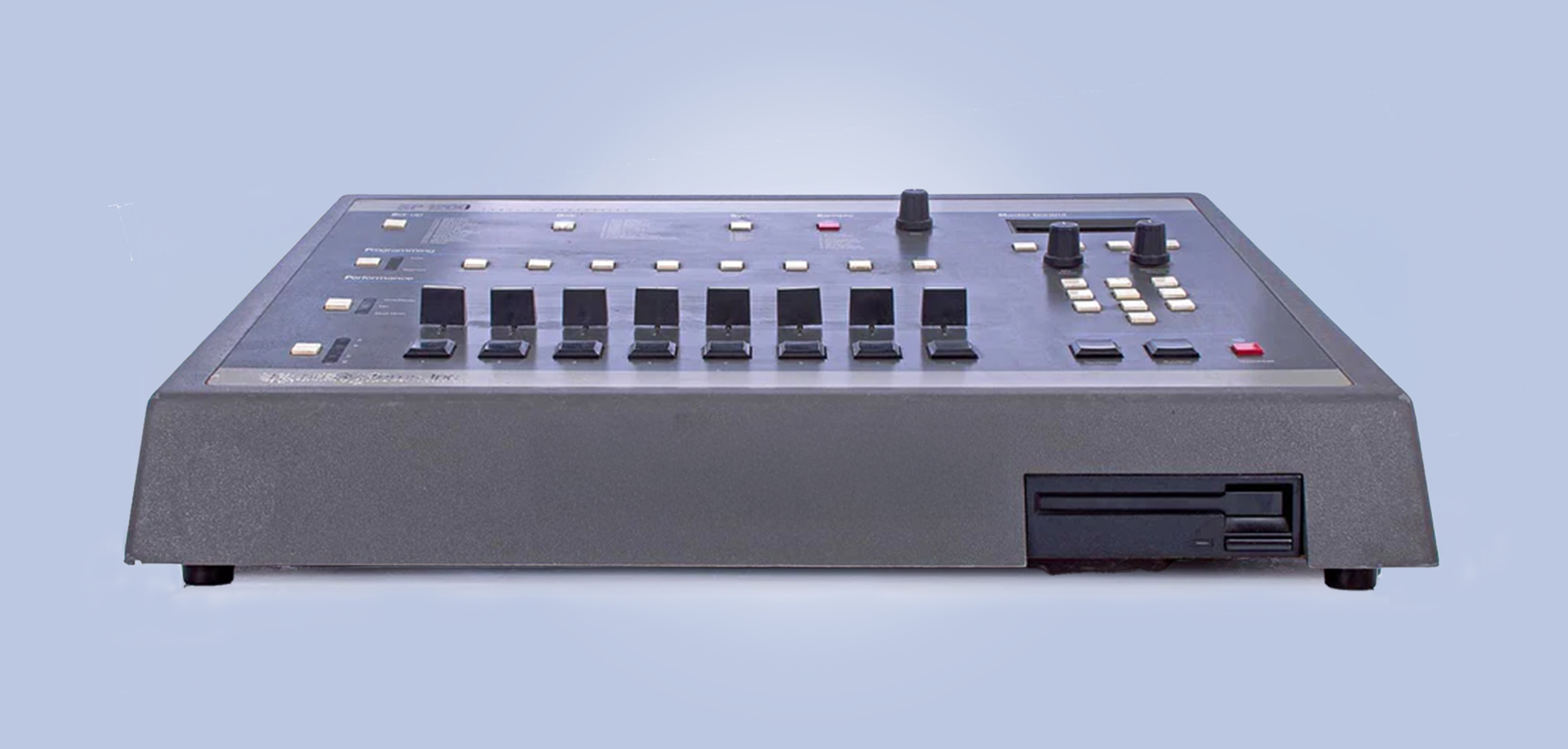
Emu SP1200
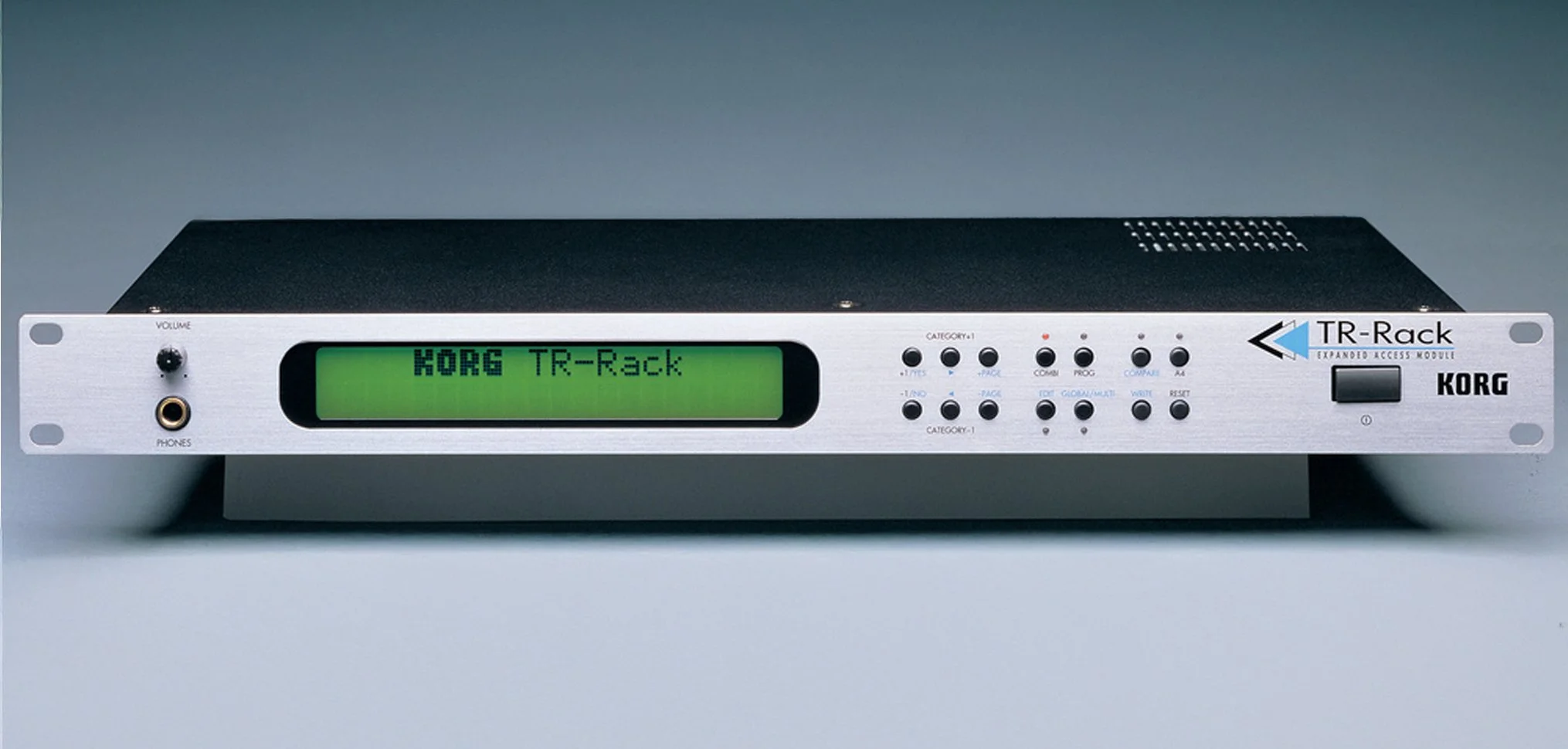
Korg TR-Rack
A Brief History of MIDI in Music Production
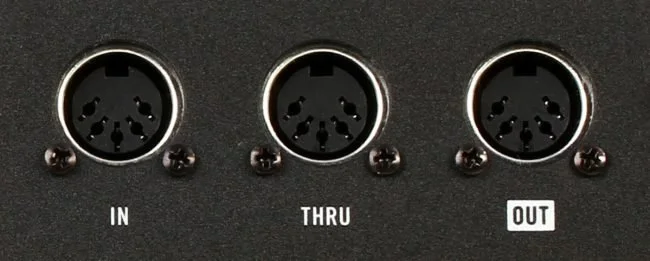
Before MIDI showed up, making electronic music was straight chaos. Every keyboard, drum machine, and synth was living in its own world, speaking its own language. Nothing synced, nothing connected, and producers were basically wiring up Frankenstein rigs just to make two machines play nice. It was ugly.
Then in 1983, the music tech world finally got its universal cheat code: MIDI — the Musical Instrument Digital Interface. A few visionary companies like Roland and Sequential Circuits teamed up and said, “Yo, what if all our gear could talk to each other?” And instead of fighting the idea, the industry actually agreed for once.
At the NAMM show that year, they plugged a Sequential Prophet-600 into a Roland Jupiter-6, hit a key, and boom — both synths fired off together like magic. That moment changed everything. Suddenly you could control a whole squad of synths, drum machines, and samplers from one keyboard. You could record performances as data, edit mistakes, stack sounds, and build complex arrangements without touching tape.
As computers took over studios in the ’90s and 2000s, MIDI became the secret sauce behind every DAW. The piano roll you use in FL, Ableton, or Logic? That’s straight MIDI. Every note, every automation curve, every drum pattern you drag around — all MIDI.
Fast-forward to today, and MIDI is STILL the backbone of modern beatmaking. With MIDI 2.0, it’s even more expressive and powerful. So yeah… the reason your laptop can feel like a whole studio, the reason your controller can flip a VST inside out, and the reason producers can cook up full tracks in their bedrooms? All thanks to a 40-year-old technology that still refuses to retire.
Practical Uses of MIDI in Beatmaking
Triggering Virtual Instruments: MIDI controllers, such as keyboards or pad controllers, can be used to play virtual instruments within Digital Audio Workstations (DAWs). This setup allows for real-time performance and recording of instrument parts.
Programming Drums: MIDI is extensively used to sequence drum patterns. Producers can assign different drum sounds to specific MIDI notes, crafting intricate rhythms that form the backbone of hip-hop tracks.
Automation and Control: Beyond notes, MIDI can automate parameters like volume, panning, and effects within a DAW, adding dynamic movement to your beats.
Getting Started with MIDI
To harness the power of MIDI in your beatmaking endeavors:
Equip Yourself with a MIDI Controller: Devices like MIDI keyboards or pad controllers serve as tactile interfaces, allowing you to input musical ideas into your DAW.
Choose a MIDI-Compatible DAW: Most modern DAWs support MIDI functionality, providing tools to record, edit, and arrange MIDI data.
Explore Virtual Instruments: Integrate software instruments into your setup to expand your sonic palette. Many DAWs come bundled with a variety of virtual instruments to get you started.
Practice and Experiment: Dive into creating MIDI sequences, experiment with different sounds, and refine your skills through consistent practice.
By embracing MIDI, aspiring beatmakers can unlock a world of creative possibilities, transforming their musical ideas into polished productions.
Conclusion
At the end of the day, understanding MIDI is one of the biggest level-ups you can give yourself as a producer. It’s the language your gear speaks, the backbone of every modern DAW, and the reason you can tweak, flip, edit, and reshape your ideas without starting over. Once MIDI clicks, beatmaking stops feeling like guesswork and starts feeling like control — real control. Whether you’re triggering drums, playing virtual instruments, or automating the wildest effects you can imagine, MIDI is the invisible superpower behind your workflow.
Master it, and suddenly your creativity isn’t limited by your gear — it’s only limited by how far you’re willing to push the music.
